How to Find an External AS2 MDN to Provide to a Trading Partner

Modified on Tue, Oct 14, 2025 at 2:52 PM

You can search for external AS2 MDNs received by the trading partner's server to show that the data was successfully sent via your ECGRID Portal


External AS2 MDN:


- On the “Transactions” page, enter the following search criteria:
- Type: FILE

- Direction: OUTBOUND

- Select Start and End Date

- Select “My Qual:ID” and “Partner Qual:ID

- Select "Search Transactions": 

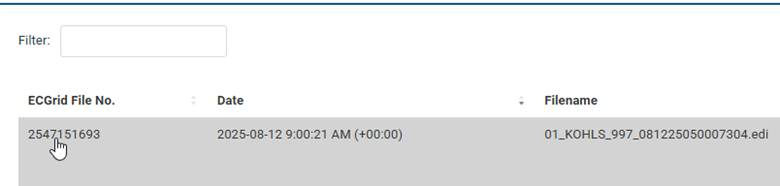
- Use the filter to search for the filename you sent to the trading partner


- Select the blue hyperlink "ECGRID File No." and it will bring you to the "Details" page:


A screenshot of a computer

AI-generated content may be incorrect.


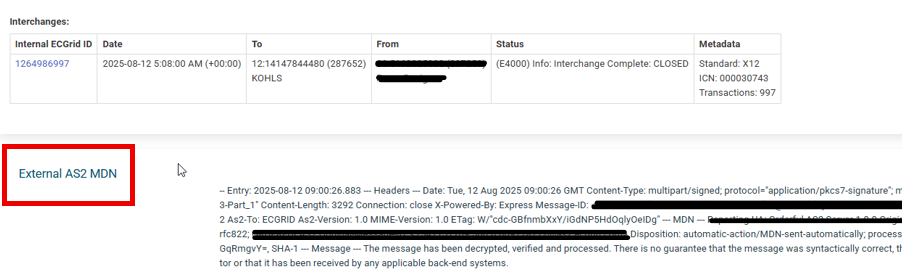
- The External MDN will be listed below the "Internal ECGRID ID" where you can copy/paste to the receiver: 


Was this article helpful?

That’s Great!

Thank you for your feedback

Sorry! We couldn't be helpful

Thank you for your feedback

Let us know how can we improve this article!

Select at least one of the reasons
CAPTCHA verification is required.

Feedback sent

We appreciate your effort and will try to fix the article