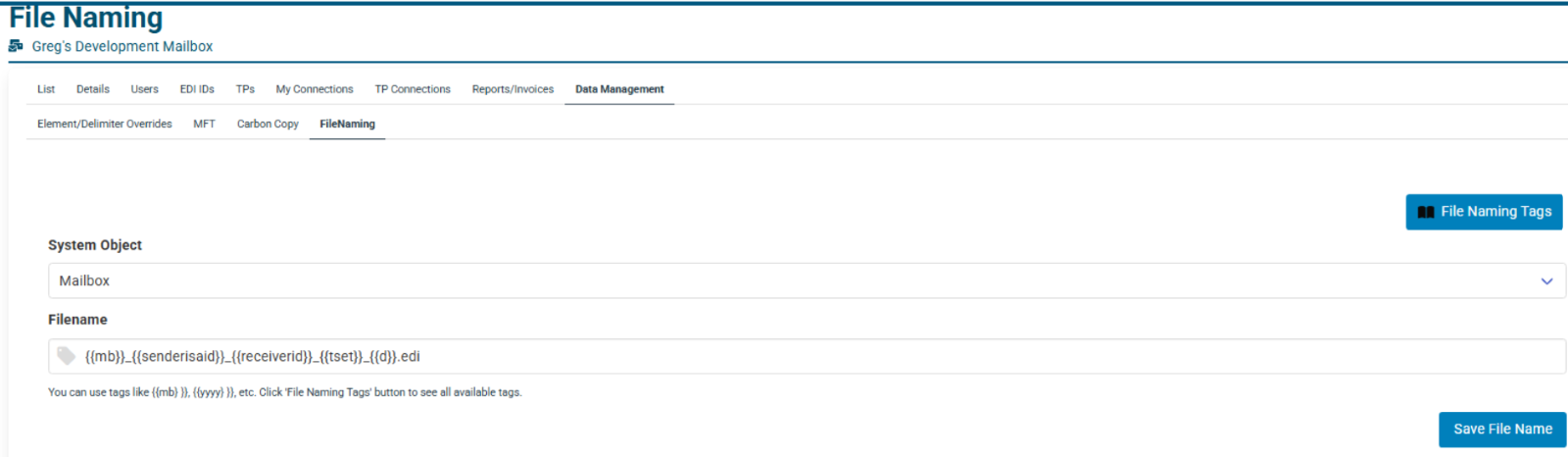
- Custom File Naming can be found under Data Management menus for network and mailbox.
- Can be set on network mailbox or partnership, although there can only be one file name per receiver ID.
- To Remove the File Name, leave the input field empty and submit the form.
- Allows for Tags and Freeform text to be added.
- You can update a file name at any time by adding a tag or removing a tag and clicking save.
- If you do not add an extension such as .edi or .x12, no extension will be used on the file.
- Each Tag has a description that can be reviewed. A full list is available to view by clicking on the blue button in the upper right corner of the page.
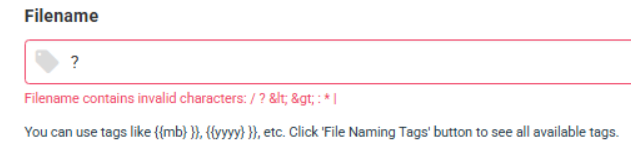
ECGrid Validation checks for illegal file naming characters ( / ? < > \ : * | " ' )
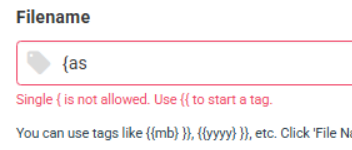
ECGrid checks the Tags are valid {{ }}:
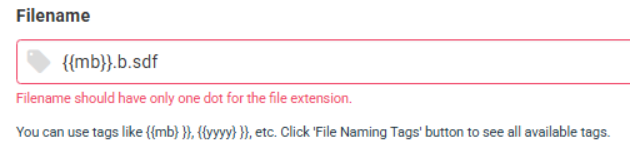
ECGrid checks for only one period outside of Tags for extension:
Was this article helpful?
That’s Great!
Thank you for your feedback
Sorry! We couldn't be helpful
Thank you for your feedback
Feedback sent
We appreciate your effort and will try to fix the article