This document will walk you through the process of connecting your Microsoft Business Central account with ECGrid Simplify.
Create Connect App
Follow this instruction: https://learn.microsoft.com/en-us/entra/identity-platform/quickstart-register-app
Register an app Note: Don't enter anything for Redirect URI (optional)
Add callback URL
Add Certificates & Secrets Note: Save the value for later (it just displays once)
Add API permission Connect to 365 Dynamics Refer: https://learn.microsoft.com/en-us/dynamics365/business-central/dev-itpro/developer/devenv-develop-connect-apps#set-up-microsoft-entra-id-based-authentication
Create Connection in Business Central
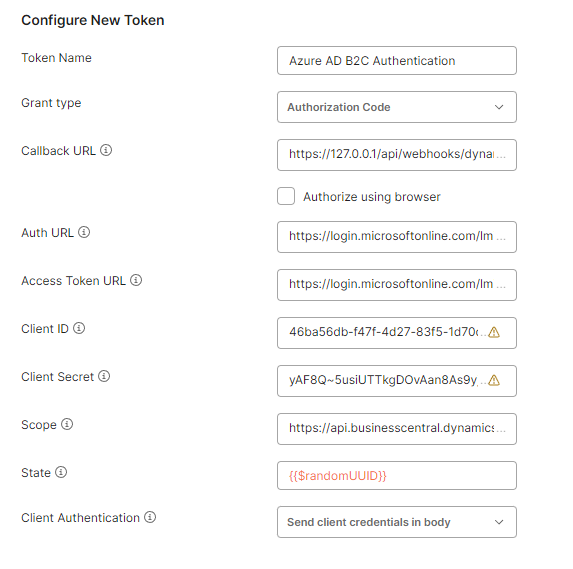
Grant type: Authorization Code
Callback URL: added to Connect App above (step 2)
Auth URL: https://login.microsoftonline.com/{{tenantId}/oauth2/v2.0/authorize
Access Token URL: https://login.microsoftonline.com/{{tenantId}}/oauth2/v2.0/token
Client ID: Application (client) ID in Overview of Connect App
Client Secret: value saved in step 3
Scope: https://api.businesscentral.dynamics.com/.default
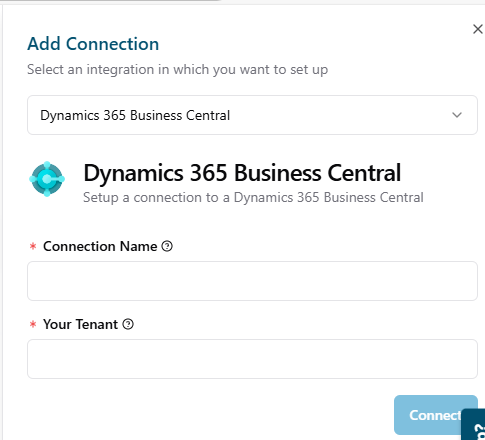
Setup Connector in ECGrid Simplify
After creating the connection in Business Central, you will need to setup a connector in Simplify to connect the two applications.
Simplify Flow Triggers Available
The triggers are the starting point in a flow which is the source on a map.
- Business Central Schedule Pull Items (include option Pull ItemVariants) - This is typically used for sending 846 EDI documents.
- Business Central Receive Created Item (include option Pull ItemVariants) - This is typically used for sending newly created items.
- Business Central Receive Created Sales Shipment (include option Pull SalesShipmentLines) - This is typically used for sending 856 EDI documents.
- Business Central Receive Created Sales Invoice (include option Pull SalesInvoiceLines) - This is typically used for sending 810 EDI documents.
Simplify Flow Actions Available
The actions are the ending point in a flow which is the destination on a map.
- Business Central Send Created Sales Order - This is typically the endpoint for an inbound 850 EDI purchase order.
Was this article helpful?
That’s Great!
Thank you for your feedback
Sorry! We couldn't be helpful
Thank you for your feedback
Feedback sent
We appreciate your effort and will try to fix the article