What is a Trading Partner xpath?
Definition
The Trading Partner xpath is a field path configured on a Document Structure that tells the system which field in an incoming document should be used to identify the trading partner.
When a file arrives, Simplify reads the value at that xpath location and matches it against the configured Integration Keys to determine which trading partner the document belongs to.
How It Works
- The xpath is set on a specific field within the Document Structure by selecting XPath Config → Set Partner XPath from the field's actions menu.
- Once set, the field is marked with a flag icon (?) to indicate it is the Partner XPath.
- When connecting a trading partner, the system displays the Partner XPath so you know which field value to enter as the Integration Key.
- At runtime, when a file is received, Simplify reads the value at the Partner XPath and matches it against the Integration Keys of all configured trading partners to route the file correctly.
Where to Find It
Navigate to: Advance Config → Document Types → open a Document Type → Structure tab → click ··· on a field → XPath Config → Set Partner XPath.
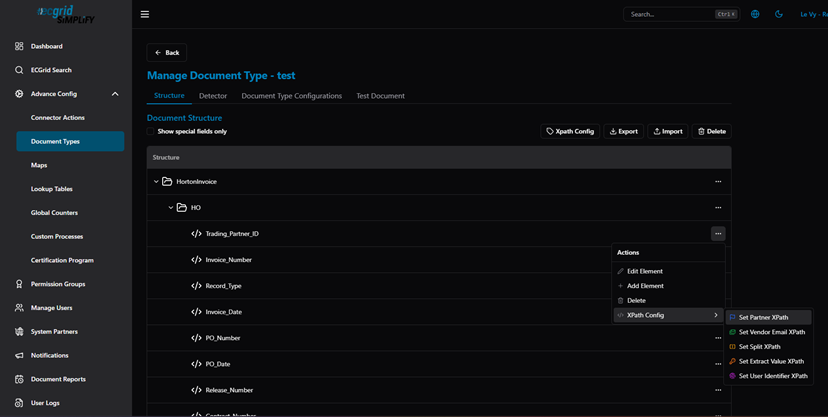
Document Structure — XPath Config submenu: Set Partner XPath, Set Vendor Email XPath, Set Split XPath, Set Extract Value XPath, Set User Identifier XPath
After selecting Set Partner XPath, the field is marked with a flag icon and a "Structure changed detected" banner appears:
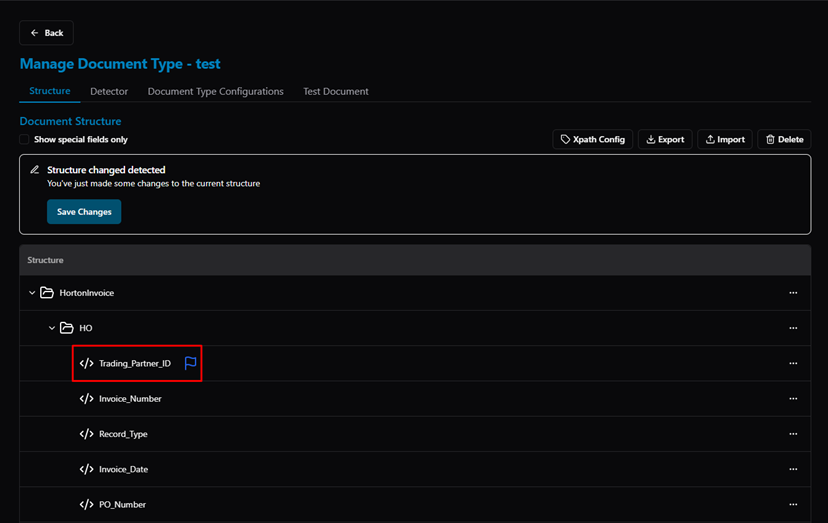
Document Structure — Trading_Partner_ID field marked with flag icon as Partner XPath
Click Save Changes to apply the configuration:
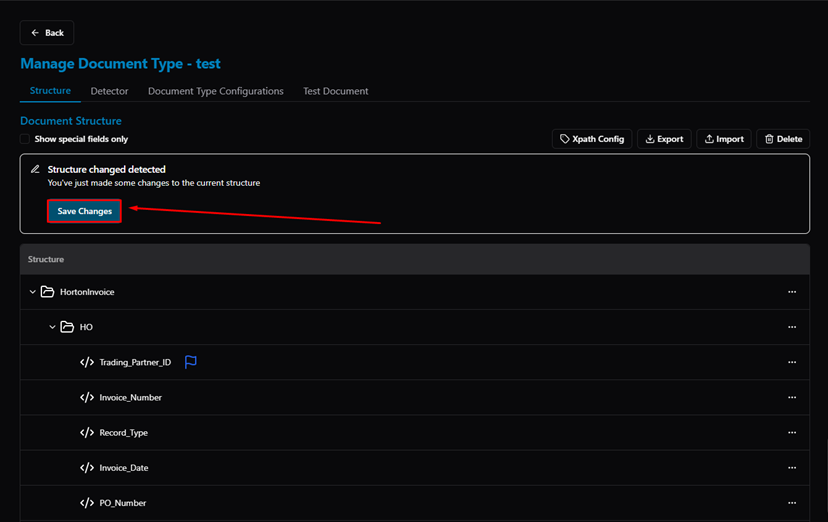
Document Structure — Save Changes button to confirm the Partner XPath assignment
Was this article helpful?
That’s Great!
Thank you for your feedback
Sorry! We couldn't be helpful
Thank you for your feedback
Feedback sent
We appreciate your effort and will try to fix the article