If you need to set specific file encoding to account for different character sets, you can do so by going to your user configurations for the main run time account.
Click on the profile name in the upper right corner and then select Profile.
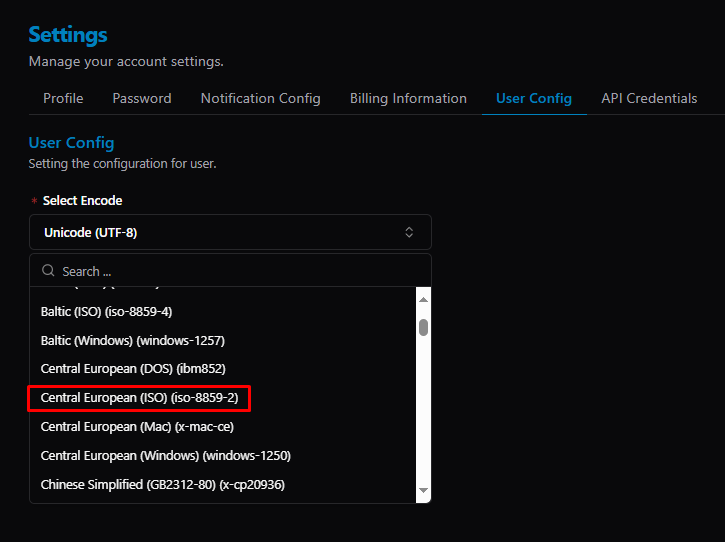
Click on the User Config tab and select your encoding.
Was this article helpful?
That’s Great!
Thank you for your feedback
Sorry! We couldn't be helpful
Thank you for your feedback
Feedback sent
We appreciate your effort and will try to fix the article